


FINALLY THANK YOUUUU. Finally an way to record when im already flying and I forgot to press record lol. 😅
Couldn't load pickup availability
 CAMLINK Quickstart
Wiring, Betaflight or KISS Ultra setup, camera pairing, recording and Link Pause. Step by step.
→
CAMLINK Quickstart
Wiring, Betaflight or KISS Ultra setup, camera pairing, recording and Link Pause. Step by step.
→
Camera not listed? It is not supported. Blackmagic requires camera firmware 8.1 or newer.
Set DJI Auto Power Off to its highest value. Osmo Nano allows 30 minutes, with no Never option. CAMLINK cannot override this timer or wake DJI cameras. Interaction and recording reset the timer, but an idle camera may switch off before takeoff.
A sleeping Osmo Nano remains detectable over Bluetooth, so CAMLINK can show WAKE CAM. Press the camera button to reconnect. Wake it before pairing too. Auto wake is GoPro-only.
The Action 2 cannot report elapsed recording time over Bluetooth, so CAMLINK counts the timer from the confirmed start. After a connection loss longer than one minute, CAMLINK clears the recording timer.
Your quad
Betaflight 2025.12+ or KISS Ultra B67+. Earlier versions and other FC firmware are not supported.
One free UART and soldering. 5 V and GND from the FC, TX and RX crossed, common ground. If every UART is taken, CAMLINK has nowhere to go.
Not weatherproof. No IP rating.
Outside the EU: import duties and local taxes are yours to pay on delivery.
US: Not available for now.
KISS Ultra support made possible by developer Alexander Fedorov. Thank you!
CAMLINK only displays values confirmed by the camera. An unconfirmed value stays blank. If the camera stops responding, CAMLINK shows the connection state.
Camera manufacturers can change their Bluetooth behaviour. Refer to the current compatibility list. New models are added after testing; CAMLINK supports firmware updates.
Live in your OSD. GoPro, DJI, Sony, Blackmagic. How much each one sends differs, and the compatibility checker above shows yours.
The camera knows it stopped recording. You don't, until you land.
CAMLINK is a board that solders to a spare UART on your flight controller. Over Bluetooth it puts the camera's own status into your goggles: you see it recording, you see the clip running, you see battery and card before they run out.
Betaflight 2025.12+ or KISS Ultra B67+.
Your camera's record button is now optional.
Arm-records is the default, not the only mode: recording can sit on a switch or a button on your radio instead. Combi layers the button on top of the automation, and it's how we fly: arm starts the clip, a bad take gets cut and restarted from the button.
Set the exposure once, and the after-landing ritual of checking clip, battery and card has already happened in your goggles on the way home. Time at the spot goes into flying.
It's a passenger: CAMLINK sits outside the motor, PID and RC control paths, so it has no way to command the quad. If it loses the camera or hangs, your flight carries on unchanged.
Map up to three GoPro presets to one AUX channel. Cruise in 25 fps cinematic, flick to 200 for the trick, flick back. No landing.
Mission 1 Pro in PAL: 4K 200 fps cinematic to 1080p 800 fps burst, mid-pass.
Burst modes were unusable on a quad until now. The capture window is 7 to 15 seconds, so the clip was over before you ever reached the line: the only way to film 800 fps was pressing record with the subject already in front of the lens. Now you cruise out on a normal preset and flick to burst the moment the pass starts.
Preset switching is GoPro only.
Naked GoPros lose their clock every time the battery comes out, and your footage ends up stamped 2016-01-01. Turn it on once in Setup, and on quads with GPS CAMLINK sets the camera clock from the FC's GPS time after connecting. No QR codes, no phone, no Quik app. GoPro only.
CAMLINK holds one camera at a time, and it doesn't care which brand you point it at. GoPro on the long-range quad this weekend, DJI on the same quad the next, nothing rewired and nothing reconfigured on the flight controller.
Mission 1 Pro paired, then an Osmo Action 6. Same module, nothing rewired.
Most of us don't fly one quad. CAMLINK solders in permanently, so it lives on the frame you put it on. Every quad in the bag reports the same four lines, in the same place. Three for €149.99.
Four wires, one free UART. Set up CAMLINK and your OSD with the Quickstart guide for Betaflight or KISS Ultra.
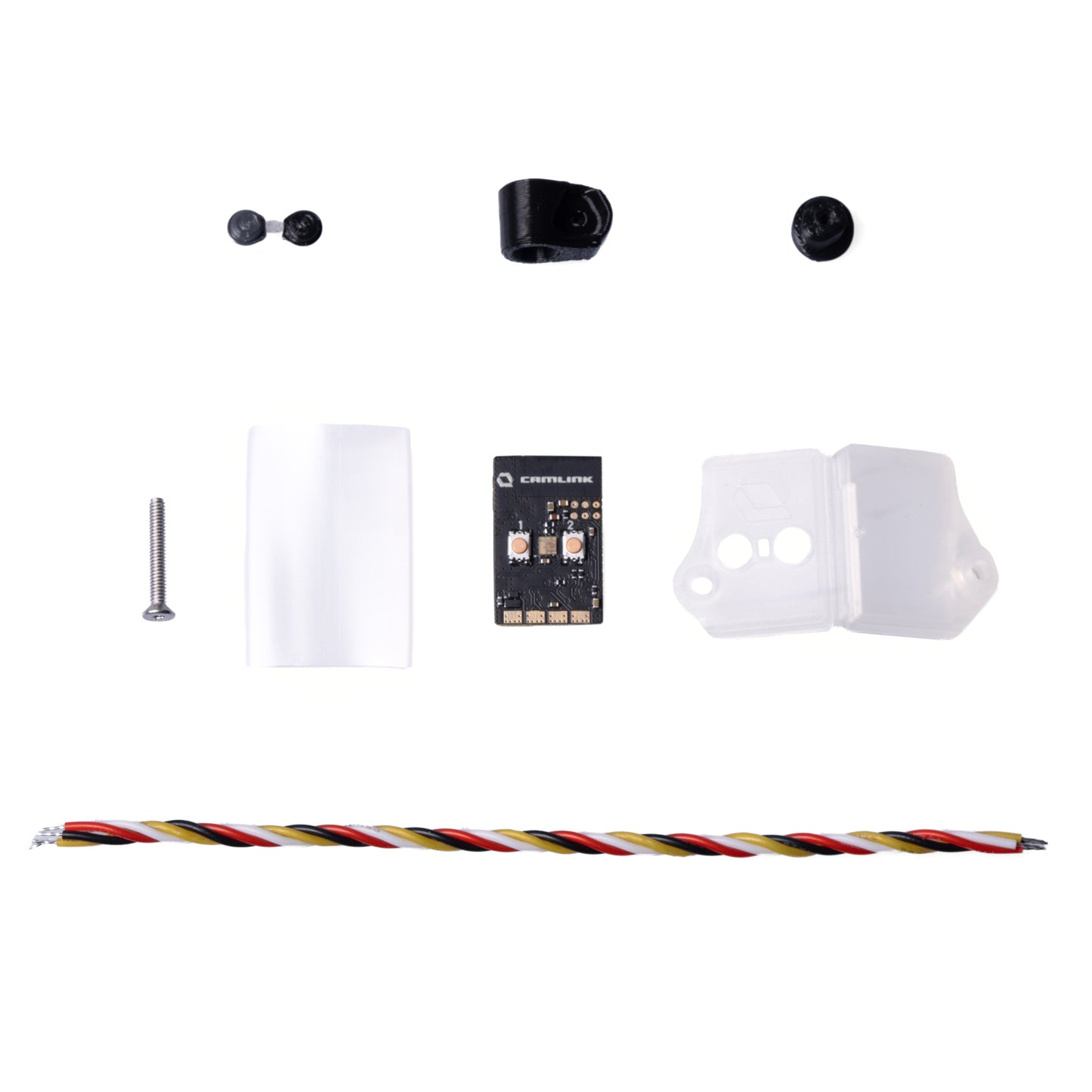
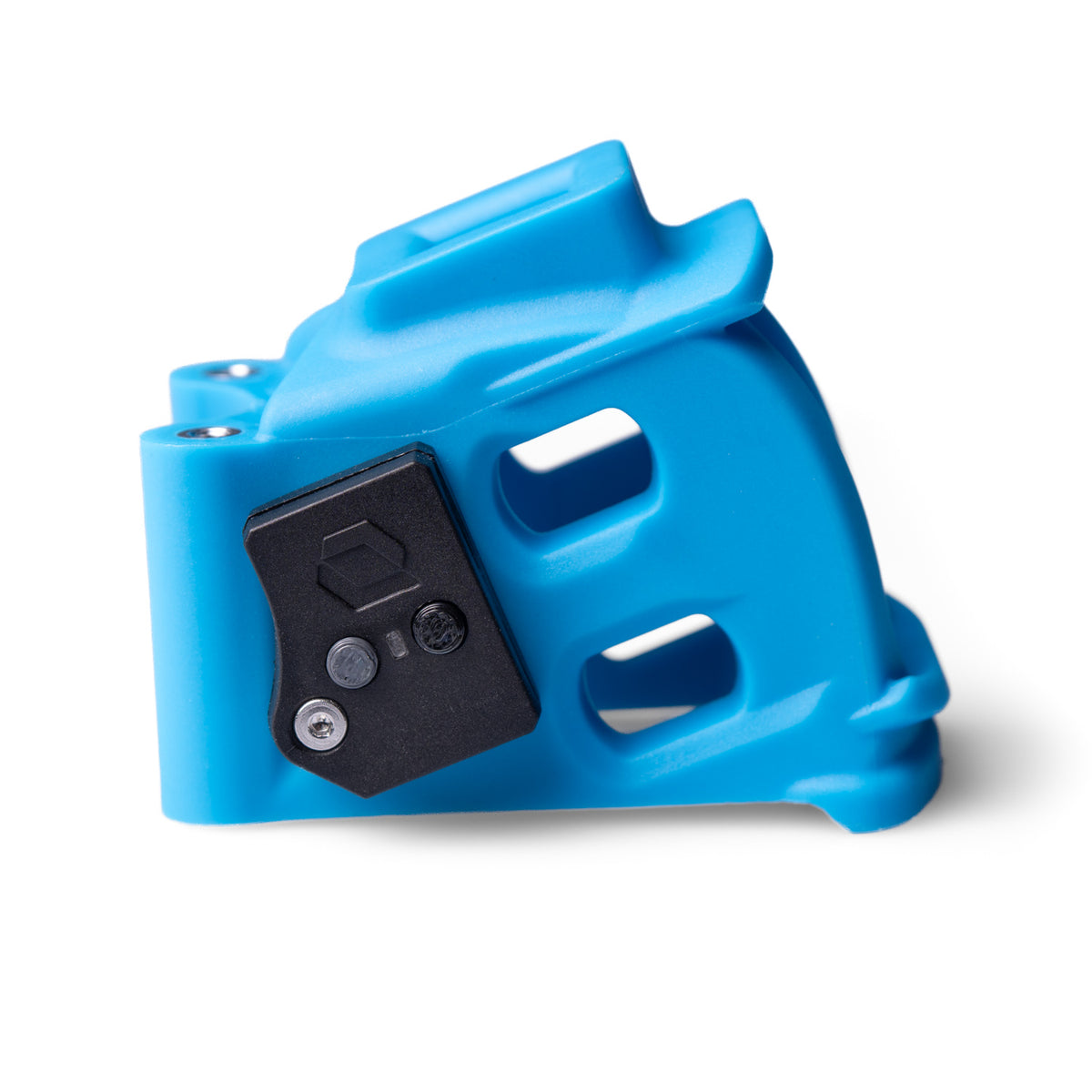
Two ways to mount it. Shrink it straight into the frame and it disappears, but the buttons on the module get hard to reach. Or use the case, which is what we'd do: one mount clips to an ERA Camera Cage, the other takes a round 5 mm standoff, and both mounts are in the box. The cage itself is not. Either way, as close to the camera as you can get it.
Pairing is one press of the button on the module. No phone, no app, no page, nothing to type. Every boot after that finds the same camera on its own.
The four lines arrive carrying what matters: what the camera is doing and for how long, battery, record time left, resolution and frame rate. Recording on arm is already on. You can stop here and go fly.
Setup Mode is for when you want more, not because something is missing. CAMLINK serves its own page: hold the second button and it opens a Wi-Fi network, join it with your phone, type 10.0.0.1 in the browser.
Everything else lives there. Drag the OSD values wherever you want them, put GoPro presets or HiLight tags on a switch, turn on GPS clock sync, pick the warnings you want to see. Three ready layouts if you'd rather not decide, and a full editor if you would.
No app, no cable, no account. A page the module serves itself.
 What's in the box


 Firmware downloads
Latest: CAMLINK 1.0.0 | released 2026-09-01
Firmware downloads
Latest: CAMLINK 1.0.0 | released 2026-09-01
Email: info@itsfpv.net. Typical response: 24 to 48 hours (Mon–Fri). We help with wiring, MSP configuration, OSD setup and camera pairing.
EU withdrawal right: 14 days from delivery. Return shipping paid by customer. You can power it on, enter Setup Mode, check the Web UI. If you fly it or otherwise handle it beyond what's needed to check nature/characteristics/functioning, we may deduct the resulting loss in value.
Shipping damage: Please report within 7 days with photos of packaging and module so we can handle the carrier dispute for you. Your statutory rights remain unaffected.
Dead on arrival: Won't boot, no LED, or Setup Mode cannot be entered and its Wi-Fi network never appears after Setup Mode has been requested. Contact us. Confirmed defects: we cover return shipping and repair or replace.
Warranty: German statutory warranty applies (gesetzliche Gewährleistung): two years from delivery for defects present at delivery. Damage caused by incorrect wiring, crashes, water, or modifications to the module is not covered. For consumers (B2C): if a defect appears within 12 months after delivery, it's presumed to have existed at delivery unless proven otherwise.


Overall rating: 5.0 / 5 from 13 reviews.
FINALLY THANK YOUUUU. Finally an way to record when im already flying and I forgot to press record lol. 😅
A unique offer! It might not be for everyone, but no one else offers opportunities like this!
It works!
absoluter Gamechanger!
Thanks
Fast shipping small issues solved fast. Great shop.
Its very helpful
Easy to set up, works great with mission one pro. Awesome documentation.
Love the device. It was a gift to implement camlink support on the Ultra FC. Very kind.
👌
When will this be available in the United States?
Gamechanging device. Once you have one you'll need it on all your quads
nothing more to be desigre